Showing posts with label Unity3d. Show all posts

RenderDoc

Probably familiar to any TA or Engineer who deals with their graphics pipeline, RenderDoc is a tool I have found incredibly useful for debugging graphics in Unreal.

Formerly a Crytek internal graphics debugging tool, it was released to the public in 2014. The tool is developed by Baldur Karlsson, and it boggles my mind that a tool this gosh-darn useful has been given to the public for free. Kudos to Baldur and to Crytek.

Previously I was using NVIDIA Nsight to view and debug runtime atlased textures, and it was quite slow and somewhat unintuitive to sift through the outputs to find what I was after.

RenderDoc on the other hand is not only fairly straight forward to get running, the turn around time to get meaningful output for frame-debugging is extremely rapid.

For Ue4 integration I'm using Temaran's RenderDoc Ue4 plugin, which makes frame captures in game as simple as entering a command on the command line- RenderDoc.CaptureFrame

Check it out if you need to know more about your graphics pipeline.

Scratch Pad Unity Utility.

One of my friends has made his Unity Asset Store debut with "Scratch Pad"- a handy little utility that lets you bookmark scenes, animations, scripts etc.


It always kinda bugged me that you can't put files into your favorites area of the Project panel, which is something this Utility does pretty well- being able to make 'working sets' of files is pretty useful, especially when debugging all the different components that might make up a single asset in game.

Check it out here. 

Maya: Animation Event Definition Tool

I've been working on a new set of tools to define animation event data in Maya and export it into Unity for consumption by the AssetPostProcessor. This has been kind of a cool learning experience, because before now I really didn't have much to do with the Animation pipe, which has been an entirely manual process for the animators.

Previously clips were cut up and events were defined by hand in Unity once the .fbx files had been exported from Maya. This wasn't such a bad thing, except that the tools in Unity for defining events were very un-intuitive. The aim of doing all this was to allow the animators the ability to work in a tool they were familiar with, and get the AssetPostProcessor to do most of the boring legwork on the Unity side.

The Maya interface. 
The Maya tool is pretty simple right now, and responsive enough that the animators don't hate me. Navigating to different clips or events will move to that time range on the slider. The event list is directly correlated to events called by the engineers in engine, so they are only available as pre-set items in a drop down.

The data is stored in the scene as attributes on empty nodes. On export time, the data is compiled into dictionaries that are then written into a .JSON file named after the .fbx.

The end result is something like this:

Data for an 'Attack' animation. The first clip is the entire duration, the next three are the intro, loop and outro. In the anim events the unit fires it's weapons three times, once on frame 5, then on 9 and 13. 'Index' is used for the muzzle position on a unit or turret, as those are the only entities in game making use of the system. I would prefer to be using named bones for more flexibility. 
Once this animation is out there, the engineering team pull it into the AssetPostProcessor and generate the required clips and event metadata from the contents. 

All in all, the Maya side is pretty basic at the moment, and implemented on a project that currently has pretty basic animation requirements. Even so, the idea of feeding data into the AssetPostProcessor is something that really appeals to me, and the .JSON format has been pretty easy to write to from Python. 

Eventually I would like to be able to define custom VFX events on named bones, and mark up non-event related data like whether you want an asset to automatically generate lightmap UV's on an imported model or not. There is a lot of potential there. 

Unity4.3 Released

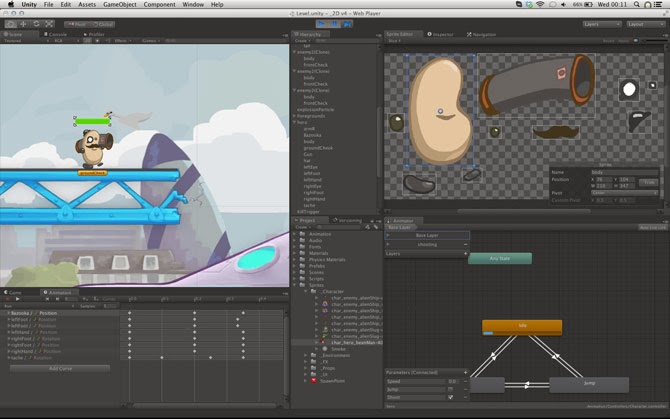
Unity 4.3 has just been released! As a Unity Developer this is awesome news, especially with the new native 2d toolkit that has been included with this release.

The new 2d tools... spritey goodness. 

We have been using the Unikron Software 2d toolkit for all of our sprites in game so far, and it is a pretty well fleshed out package, although a little cumbersome to use. I'm very interested to see how the new native 2d toolkit performs on mobile devices, and if it does perform well, what kind of workflow enhancements it will provide.


Extending the Unity Editor

Its been a while since my last post, as I have been pretty busy with a new job and learning new tools. After going through a bunch of tutorials I have familiarized myself with the Unity3d workflow and C#, and busied myself writing art tools for my new workplace.

The Unity Editor is pretty fun to work with, and has a very extendable interface. With just a few lines of code (C# by preference) it's possible to create a customized interface window.

Here is a bare bones example of how to make a custom window in Unity 4.2, and make it do stuff. The example is written in CSharp and does a very simple task, makes a window and tells you the name of whatever you have selected.

// Example Window- Get the name of whatever game object 
// that is currently selected

using UnityEngine;
using UnityEditor;

public class ExampleWindow : EditorWindow
{

    // Strings
    string objectName = "";
    
    // Update specific variables
    // Using the repaint flag, GUI updates are done once, rather than spammed
    // every frame. 
    private string lastSelected = "";
    private bool repaint = true;

    // This creates a new Menu item where we can access our tool from.
    [MenuItem("Window/ExampleWindow")]
    static void Init()
    {
        ExampleWindow window = (ExampleWindow)EditorWindow.GetWindow(typeof(ExampleWindow));
    }

    // A Button Function
    void myFancyFunction()
    {
        // Log something to the comments console. 
        Debug.Log("You pressed a fancy button!");
    }

    // This is my actual window
    private void OnGUI()
    {
        // Create a label
        GUILayout.Label("Select an object in the hierarchy view");

        // Create a text field that will update whenever we select a different object
        EditorGUILayout.TextField("Object Name: ", objectName);

        // Create a button that calls our fancy function. 
        if (GUI.Button(new Rect(32, 42, 256, 16), "Fancy function!"))
        {
            myFancyFunction();
        }

    }

    private void Update()
    {

        if (Selection.activeGameObject && Selection.activeGameObject.name != lastSelected)
        {
            objectName = Selection.activeGameObject.name;
            this.Repaint();

            // This is to prevent spamming GUI updates
            lastSelected = Selection.activeGameObject.name;
            repaint = true;
        }

        else if (Selection.activeGameObject == null && repaint == true)
        {
            objectName = "Please Select an Object";
            this.Repaint();

            // This is to prevent spamming GUI updates
            repaint = false;
            lastSelected = "";
        }
    }
}

All of this results in a window you can then access from Window > ExampleWindow.
Probably the most useful tool ever made.